
오늘의 핵심 표현을 완성해 보세요!
단어를 탭해서 올바른 문장을 만들어 보세요!
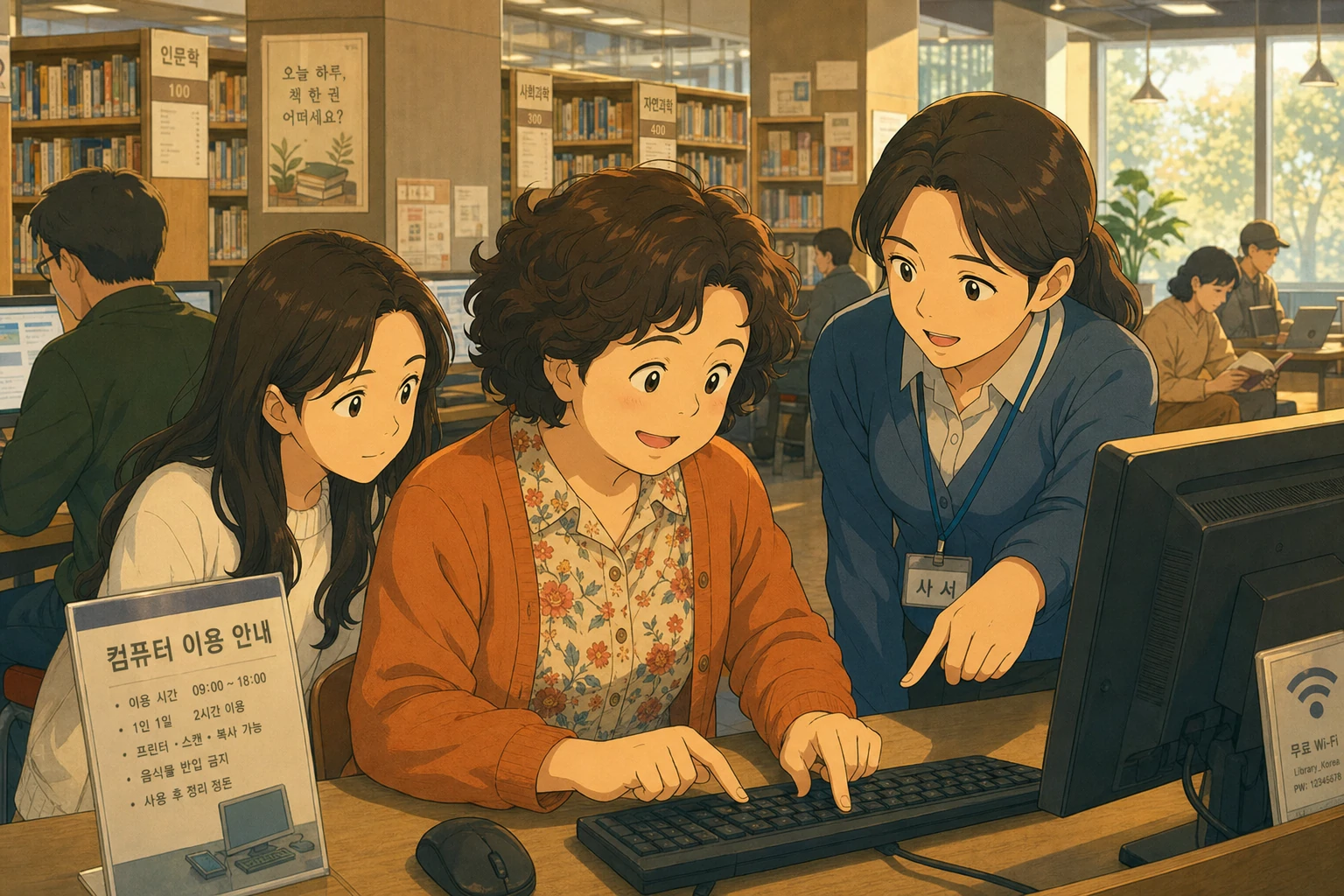
영자는 도서관 컴퓨터로 한국 뉴스를 보고 싶었습니다.
딸이 말했습니다.
영자가 도서관에 갔습니다.
컴퓨터 앞에 앉았습니다.
화면에 이런 글씨가 있었습니다.
영자가 카드를 꺼냈습니다. 번호를 찾았습니다. 입력했습니다.
비밀번호를 물었습니다.
영자가 멈췄습니다.
사서에게 갔습니다.
I don't know my password. "
사서가 따뜻하게 웃었습니다.
사서가 설명했습니다.
Let's try that. "
영자가 전화번호 마지막 네 자리를 입력했습니다.
화면이 열렸습니다!
사서가 말했습니다.
Would you like me to show you how to open the internet browser? "
사서가 브라우저를 열어주고, 검색창에 어떻게 치는지 보여줬습니다.
영자가 "한국 뉴스"를 입력했습니다.
한국 뉴스 사이트가 떴습니다.
영자가 감탄했습니다.
사서가 웃으며 말했습니다.
한 시간 동안 영자는 한국 뉴스를 읽고, 날씨를 확인하고,
딸에게 보낼 사진도 찾아봤습니다.
시간이 다 됐을 때 영자가 사서에게 말했습니다.
집에 와서 딸에게 말했습니다.
Young-ja goes to the library.
She sits at a computer.
The screen says, "Log in with your library card."
She does not know her password.
She asks the librarian, "Could you show me how to use this?"
The librarian helps her.
The password is the last four numbers of her phone.
Young-ja logs in. "It works!"
The librarian shows her how to open the internet.
Young-ja reads Korean news for one hour.
She says, "Thank you! I will come back tomorrow!"
Young-ja wants to read Korean news on the library computer.
She sits down and sees: "Please log in with your library card number."
She enters her card number, but doesn't know her password.
She goes to the librarian and says,
"Could you show me how to use this, please? I don't know my password."
The librarian explains the default password is the last four digits of her phone number.
Young-ja tries it — it works!
The librarian also shows her how to open the internet browser.
Young-ja types in Korean news and finds a Korean website immediately.
"Oh! Korean! I can read everything!"
She spends a happy hour reading news, checking weather, and looking up recipes.
When the time is up, she thanks the librarian warmly.
"I will come back tomorrow!"
Young-ja had been missing Korean news.
Not the big headlines — she could get those on her phone.
But the small stories. Local weather. Celebrity gossip. The things that made Korea feel close.
Her daughter mentioned the library computers were free to use.
"An hour at a time, Mom. Just log in with your card."
Young-ja arrived at the library the next morning with her library card in hand.
She chose a computer in a quiet corner, sat down, and read the screen.
"Please log in with your library card number."
She typed the number carefully. Then the screen asked for a password.
Young-ja stared at it.
She had never set a password. She didn't know she needed one.
She closed the screen gently — as if it were not her fault — and walked to the librarian's desk.
"Excuse me. I'm sorry to bother you. Could you show me how to use the computer, please?
I don't seem to know my password. "
The librarian, a soft-spoken woman with reading glasses,
looked up with the expression of someone who answered this question several times a day.
"Of course! Is this your first time on our computers?"
"Yes. I've had the card for a while, but today is my first time."
"No problem at all. Your default password is the last four digits of your phone number.
It's set automatically when the card is issued. "
Young-ja typed the four digits.
The screen opened. A desktop appeared. A small clock in the corner said: 60:00.
"Oh! It works!"
The librarian smiled. "You have one hour. Would you like me to show you how to find the browser?"
"Yes please. I want to read Korean news."
Two minutes later, Young-ja was looking at a Korean news website.
She read about the weather in Seoul. A cooking program she used to watch had a new host.
Her old neighborhood had a new café.
An hour passed without her noticing.
When the screen gently flashed "Your session ends in 5 minutes,"
Young-ja looked up as if waking from a pleasant dream.
She found the librarian before leaving.
"Thank you so much for your help today. I will come back tomorrow, if that is okay."
The librarian laughed. "Our computers are here every day. Come as often as you like."
Walking home, Young-ja thought: the library is like a little piece of everywhere.
Korean news in an American building.
She would be back tomorrow. And the day after.
Young-ja goes to the library.
She sits at a computer.
The screen says, "Log in with your library card."
She does not know her password.
She asks the librarian, "Could you show me how to use this?"
The librarian helps her.
The password is the last four numbers of her phone.
Young-ja logs in. "It works!"
The librarian shows her how to open the internet.
Young-ja reads Korean news for one hour.
She says, "Thank you! I will come back tomorrow!"
Young-ja wants to read Korean news on the library computer.
She sits down and sees: "Please log in with your library card number."
She enters her card number, but doesn't know her password.
She goes to the librarian and says,
"Could you show me how to use this, please? I don't know my password."
The librarian explains the default password is the last four digits of her phone number.
Young-ja tries it — it works!
The librarian also shows her how to open the internet browser.
Young-ja types in Korean news and finds a Korean website immediately.
"Oh! Korean! I can read everything!"
She spends a happy hour reading news, checking weather, and looking up recipes.
When the time is up, she thanks the librarian warmly.
"I will come back tomorrow!"
Young-ja had been missing Korean news.
Not the big headlines — she could get those on her phone.
But the small stories. Local weather. Celebrity gossip. The things that made Korea feel close.
Her daughter mentioned the library computers were free to use.
"An hour at a time, Mom. Just log in with your card."
Young-ja arrived at the library the next morning with her library card in hand.
She chose a computer in a quiet corner, sat down, and read the screen.
"Please log in with your library card number."
She typed the number carefully. Then the screen asked for a password.
Young-ja stared at it.
She had never set a password. She didn't know she needed one.
She closed the screen gently — as if it were not her fault — and walked to the librarian's desk.
"Excuse me. I'm sorry to bother you. Could you show me how to use the computer, please?
I don't seem to know my password. "
The librarian, a soft-spoken woman with reading glasses,
looked up with the expression of someone who answered this question several times a day.
"Of course! Is this your first time on our computers?"
"Yes. I've had the card for a while, but today is my first time."
"No problem at all. Your default password is the last four digits of your phone number.
It's set automatically when the card is issued. "
Young-ja typed the four digits.
The screen opened. A desktop appeared. A small clock in the corner said: 60:00.
"Oh! It works!"
The librarian smiled. "You have one hour. Would you like me to show you how to find the browser?"
"Yes please. I want to read Korean news."
Two minutes later, Young-ja was looking at a Korean news website.
She read about the weather in Seoul. A cooking program she used to watch had a new host.
Her old neighborhood had a new café.
An hour passed without her noticing.
When the screen gently flashed "Your session ends in 5 minutes,"
Young-ja looked up as if waking from a pleasant dream.
She found the librarian before leaving.
"Thank you so much for your help today. I will come back tomorrow, if that is okay."
The librarian laughed. "Our computers are here every day. Come as often as you like."
Walking home, Young-ja thought: the library is like a little piece of everywhere.
Korean news in an American building.
She would be back tomorrow. And the day after.
"비밀번호를 모르겠어요."를 영어로 만들어보세요!
왼쪽 영어를 클릭 → 오른쪽 한국어를 클릭!
왼쪽엔 오늘 수업, 오른쪽엔 ChatGPT가 열립니다.